

Welcome to Penticks
Penticks helps service businesses organize contacts, schedule appointments, manage locations and facilities, collaborate with members, and run the operational tools that keep each day moving.
Product Features
A Complete Operating System for Appointment-Based Teams
The public website reflects the core modules already present in Penticks: account management, contacts, calendars, services, locations, members, reports, billing, and installable apps.
Contacts and Groups
Store contact profiles, organize them into groups, track notes, attachments, wallet transactions, and past or upcoming events.
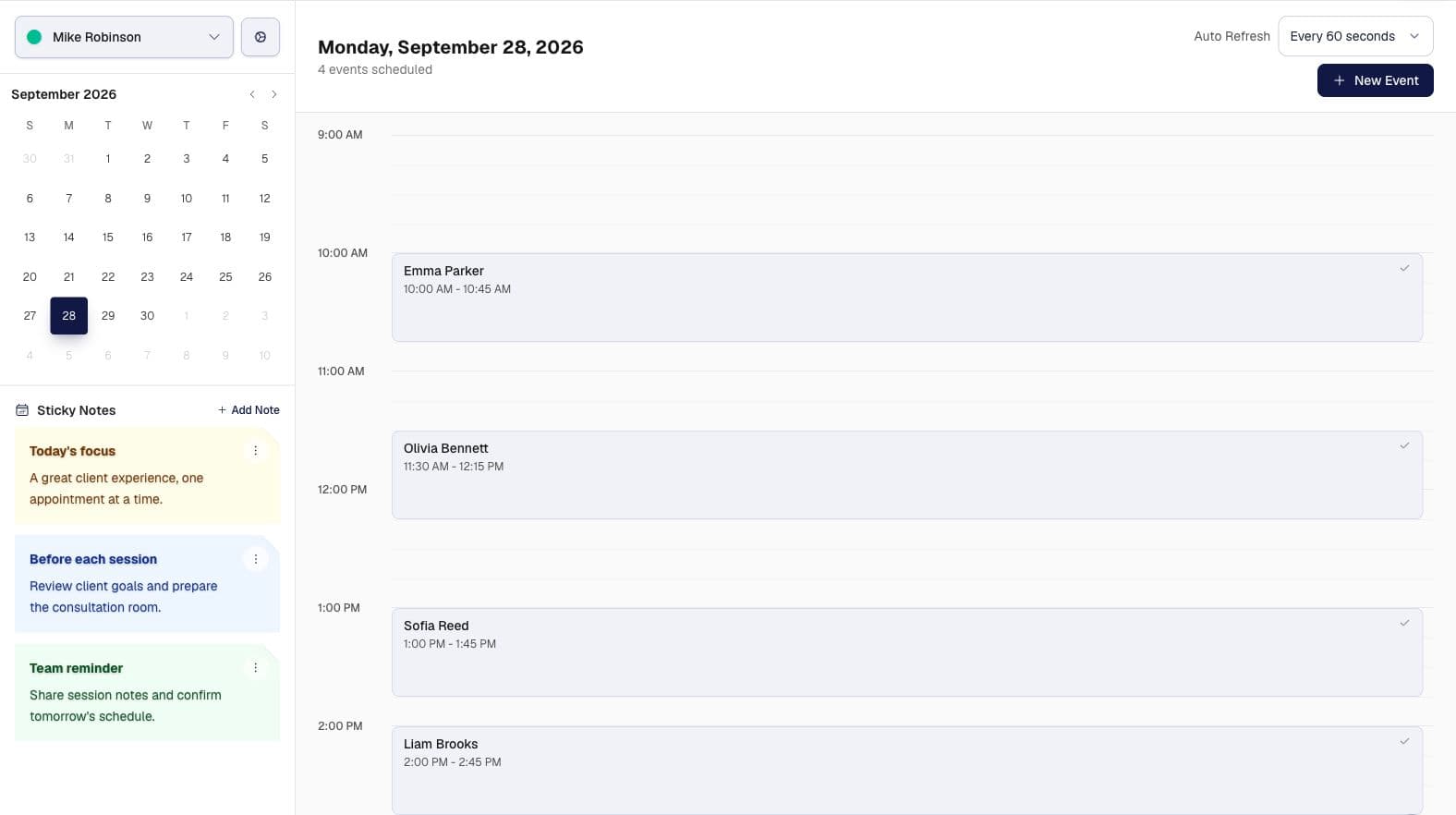
Calendar and Scheduling
Create appointments, manage participants, view availability, handle completion, and keep schedule settings tied to each member calendar.
Locations and Facilities
Manage business locations, create facilities, and enable facility calendars for appointment scheduling.
Services and Member Services
Build service categories, define prices and durations, order offerings, and assign services to members.
More tools included
Scroll through the rest of the Penticks modules.
Simple Process
How Penticks Works
Set up a workspace, connect the operational modules you need, then manage your appointments and relationships from one place.
Create Your Account
Sign up, verify your email or phone, choose an account type, and complete your profile.
Set Up Operations
Add contacts, services, locations, facilities, team members, permissions, and calendar settings.
Run Your Schedule
Book appointments, manage participants, track activity, review reports, and scale your plan as usage grows.
Pricing
Choose Your Plan
Plans are loaded from the active packages configured in the Penticks database.
Free
Perfect for getting started with limited actions and basic features
Free starter workspace
- 20 Contacts
- 0 Members
- 1 Locations
- 1 Facilities
Basic
Ideal for small teams with essential features and moderate limits
Billed monthly
- 50 Contacts
- 3 Members
- 2 Locations
- 2 Facilities
Pro
PopularBest for growing businesses with advanced features and higher limits
Billed monthly
- 100 Contacts
- 15 Members
- 3 Locations
- 10 Facilities
Ultimate
Complete solution with unlimited access to all features
Billed monthly
- Unlimited Contacts
- Unlimited Members
- Unlimited Locations
- Unlimited Facilities
Operational Coverage